

A smart medicine reminder box for older adults with phone alerts
Notes for a medicine box with lights, a quiet buzzer, RTC, and phone alerts when a scheduled dose has not been confirmed after a grace period.
Share
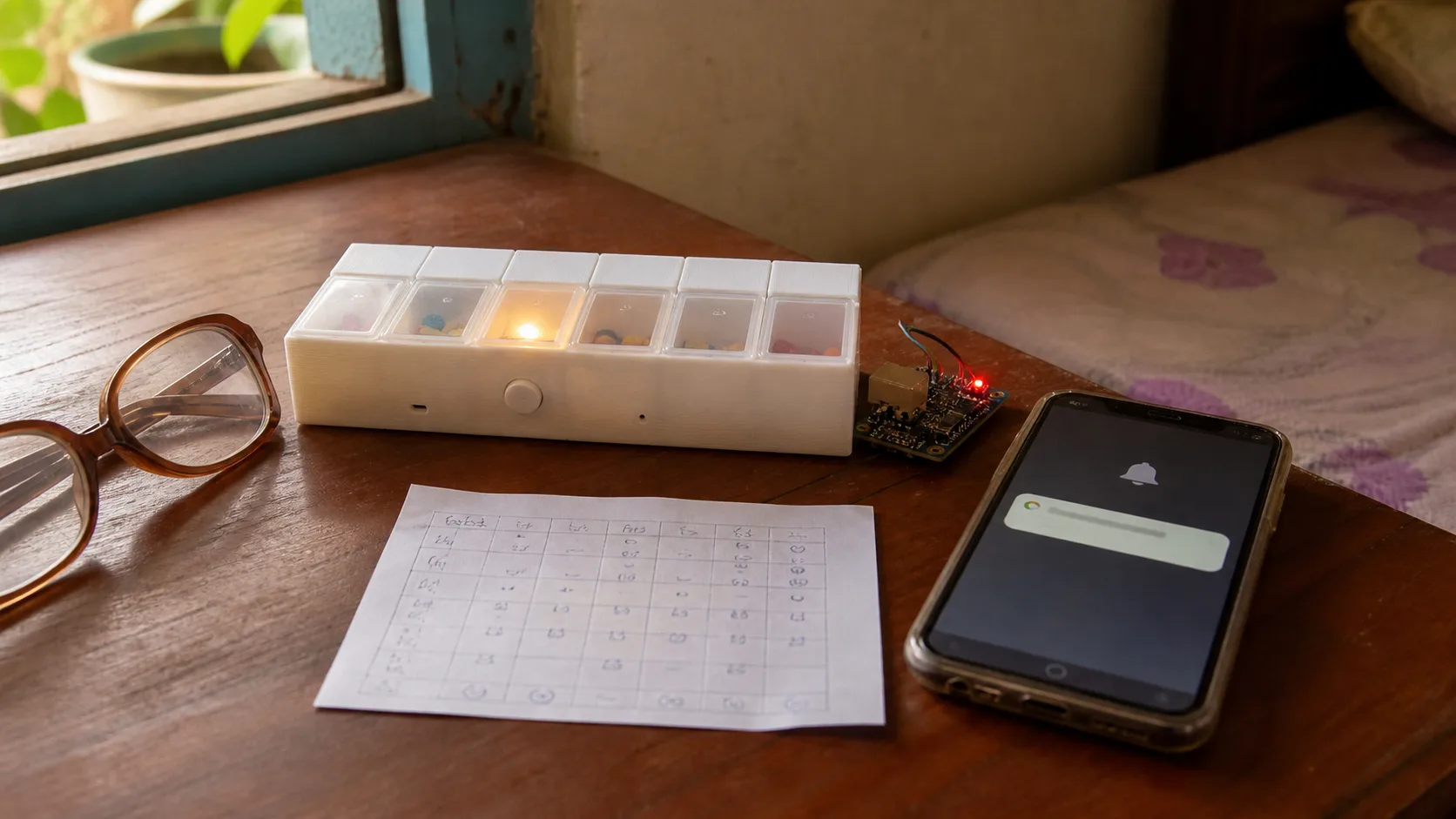
If you build a similar box, I recommend testing it with the person who will use it and keeping every reminder gentle.
Medication reminders sound simple, but at home they can become tense. The person taking medicine does not want to feel watched. Family members worry, especially when the schedule has several doses per day.
Many older adults still live quite independently, but the medicine schedule can become messy: one pill in the morning, half a tablet at noon, another one at night. A phone alarm helps, but the phone may be across the room, muted, or dismissed before the medicine is actually taken. A physical box with a light on the right compartment, a gentle sound, and a delayed family alert is closer to the real habit.
This is not a medical device, and it should not change anyone's prescription. I see it as a home reminder: help with timing, record that the box was opened, and alert a caregiver when something may have been missed.
First-version goal
I would not start with a fully automatic dispenser. For older adults, more mechanics can mean more jams, more cleaning, and more ways to confuse the user. The MVP should be a semi-smart reminder box:
- 7 or 14 compartments, grouped by day or time of day.
- At schedule time, light the right compartment and play a gentle beep.
- The user opens the lid or presses a large button to confirm.
- If there is no confirmation after 10-15 minutes, send a phone alert to a family member.
- If Wi-Fi is down, local reminders still work from the RTC.
- The schedule can be edited through Home Assistant, a Telegram bot, Blynk, or a small local web page.
The important part is tone. The box should not make the user feel watched. It should feel like a gentle nudge, with family notification only as a backup.
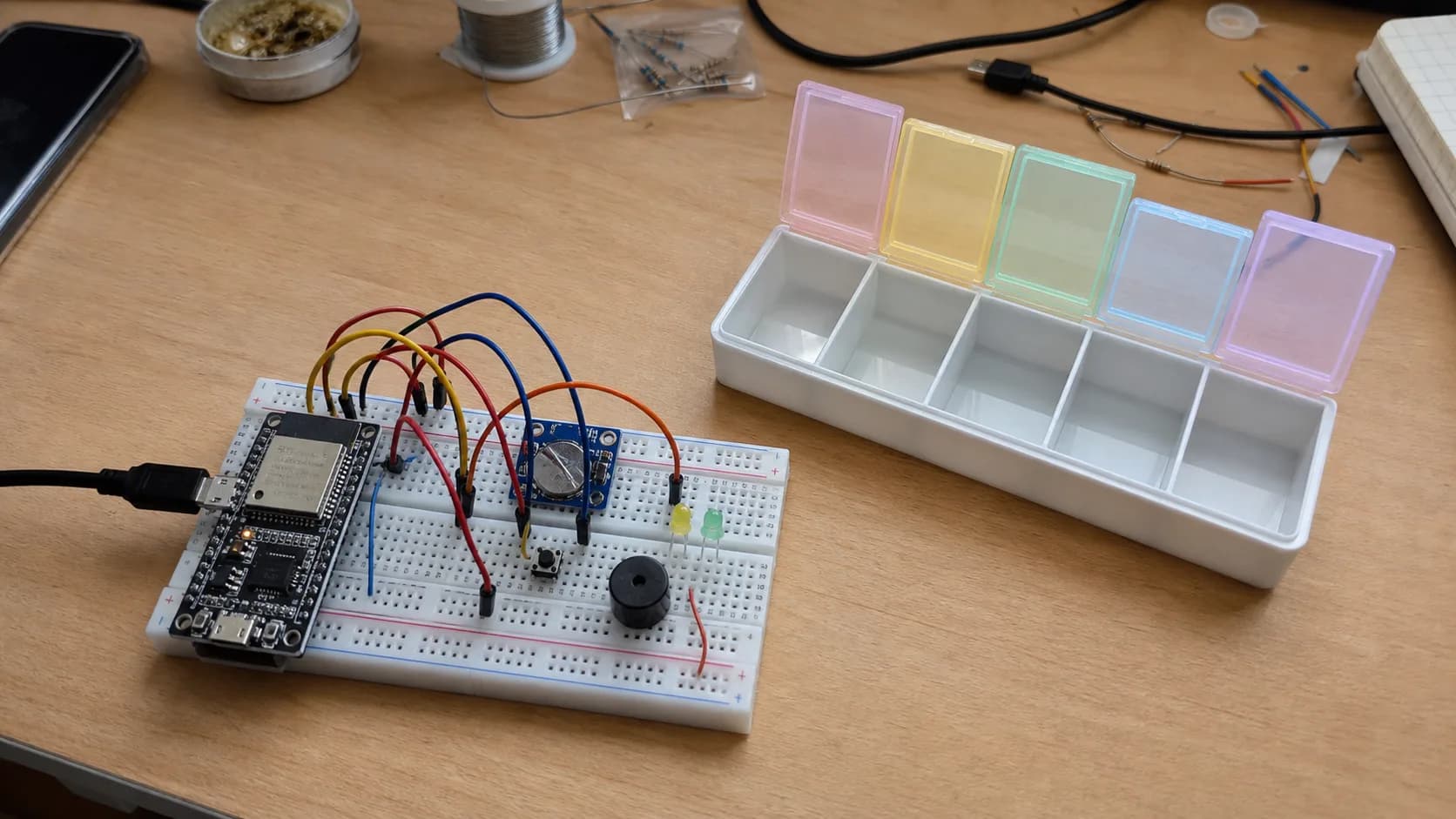
A first version should start with separate parts: ESP32, RTC, buzzer, LEDs, and one confirm button, before spending time on a polished enclosure.
Hardware proposal
A practical prototype could use:
- ESP32-C3 or ESP32-S3 mini.
- DS3231 RTC to keep time without the network.
- Small low-volume buzzer.
- LEDs per compartment, or one RGB LED with clear compartment labels.
- Reed switch, Hall sensor, microswitch, or lid sensor to detect opening.
- One large confirm button if per-compartment sensing is too much for the first version.
- Li-ion/LiPo battery with a charger board, or USB power if it stays near the bed.
- A 3D-printed enclosure, or a normal pill organizer modified with lights.
If this is meant for real older people, the button must be large, the light must be visible, the beep must not be harsh, and the box must be easy to clean. Those details are not flashy, but they decide whether the device survives the first week.
How it works
The firmware can be a small state machine:
Idle:
  wait for the next scheduled dose

Reminder:
  turn on the matching compartment light
  beep briefly every few dozen seconds
  record when the reminder started

Confirmed:
  user opens the lid or presses the button
  turn off the light and buzzer
  publish "dose confirmed"

Escalated:
  if there is no confirmation after 10-15 minutes
  send a phone alert to the caregiver
  keep the local reminder gentle
The schedule can stay simple:
[
  { "slot": 1, "time": "07:30", "label": "morning" },
  { "slot": 2, "time": "12:30", "label": "noon" },
  { "slot": 3, "time": "20:30", "label": "night" }
]
I would avoid putting detailed medicine names in the cloud until privacy is thought through. For a first version, "morning/noon/night" or "slot 1/slot 2" is enough. The actual medicine name and dose can stay on paper, on the box label, or in the family's private medication list.
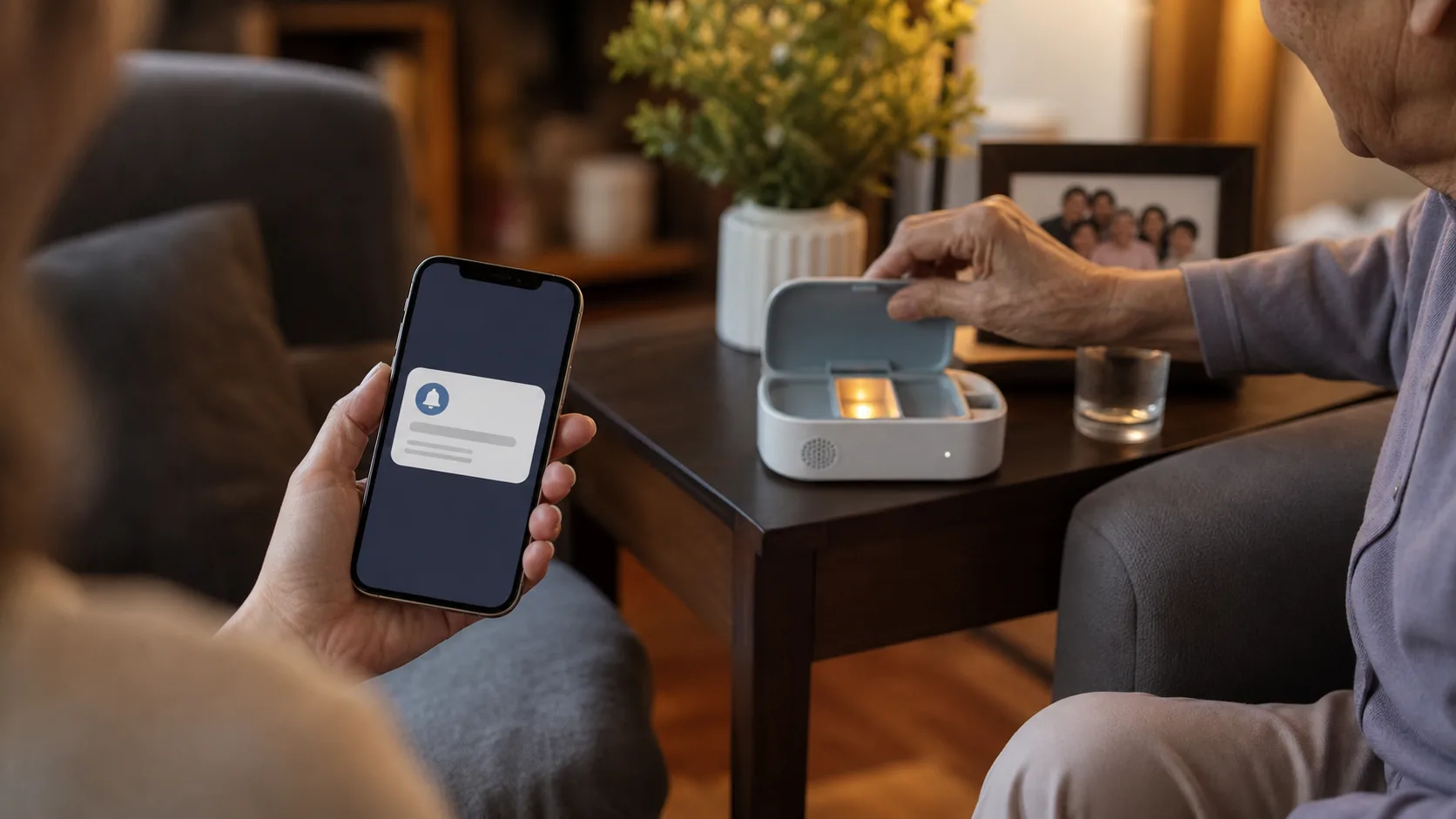
Phone alerts are most useful when they are sent only after the person has not confirmed the dose within a reasonable grace period.
Phone alert paths
There are a few reasonable ways to send alerts:
- Home Assistant + MQTT: best if the home already has a small server.
- Telegram bot: easy for family notifications without writing an app.
- Blynk or Arduino IoT Cloud: fast for a demo.
- Small local web app: more control, but more work around accounts, notifications, and security.
The MQTT payload can be compact:
{
  "device": "medicine-box-bedroom",
  "slot": 2,
  "state": "missed",
  "scheduledAt": "12:30",
  "battery": 76
}
I would not notify the family immediately at the scheduled time. A better pattern is a grace period. At 7:30, the box lights up. At 7:40 or 7:45, if nobody confirms, it sends a message. If the person opens the compartment at 7:38, the phone can stay quiet or only record a silent log.
That grace-period idea is the same design habit used in simple environmental IoT projects, such as the CO2 window reminder: avoid instant alarms, wait for a meaningful condition, then notify with context.
Easy mistakes
Do not make the alarm too loud. A harsh reminder can make someone turn the whole device off.
Do not assume opening the lid means the medicine was taken. It is a better signal than nothing, but it does not replace a caregiver or medical advice.
Do not depend completely on Wi-Fi. The RTC and local alarm should still work offline.
Do not overbuild the configuration app. Family members mostly need to edit schedule time, enable or disable reminders, see the latest confirmation, and check battery.
Do not let the battery die silently. A medicine reminder that quietly runs out of battery will lose trust quickly.
MVP I would build
My first build would be:
- Off-the-shelf 7-slot pill organizer.
- ESP32-C3.
- DS3231 RTC.
- One RGB LED, or three LEDs for morning/noon/night.
- One large confirm button.
- Small buzzer.
- MQTT to Home Assistant.
- Telegram alert to family after 15 minutes without confirmation.
After one stable week, I would consider per-lid sensors. After a month of real use, if the family still finds it helpful, then it becomes worth designing a PCB and a cleaner enclosure.
Test checklist
- Run a fake schedule for one day, with reminders every 30 minutes.
- Disconnect Wi-Fi and confirm the RTC and buzzer still work.
- Test low-battery alerts.
- Test late confirmation and accidental button presses.
- Check whether the box is easy to open with weaker hands.
- Ask a family member whether the alert wording is clear.
- Log annoying false alerts and tune the grace period.
I would call the first build successful if it survives a week without annoying the person using it. The reminder should be clear, the sound should be gentle, the button should be easy to press, and family messages should appear only when needed. A good medicine box should not feel like surveillance; it should reduce a few anxious phone calls without changing the person's routine.
References
Share
Keep exploring
Read next
Related articles
OpenMQTTGateway: Building a Multi-Protocol Smart Home Hub
Set up an OpenMQTTGateway hub for BLE, Wi-Fi, RF, and LoRa sensors, then route the data into MQTT and Home Assistant without building a separate bridge for every device.
A smart thermostat that learns how your room warms up
Notes on building an ESP32 smart thermostat that learns a room's heating rate, starts at the right time, and keeps safety control local.
A camera-free desk clock that indicates sleep quality
Notes for an ESP32 bedside clock that uses CO2, temperature, light, and bed presence to explain why a night felt off, without putting a camera in the bedroom.