

ESP32-C3 or ESP32-S3: Which Chip for a Robot with a Screen and Audio?
Comparing ESP32-C3 and ESP32-S3 on GPIO, RAM, PSRAM, USB, I2S, and LVGL headroom, with a concrete recommendation for a basic Mochi build and a Mochi AI build.
Share
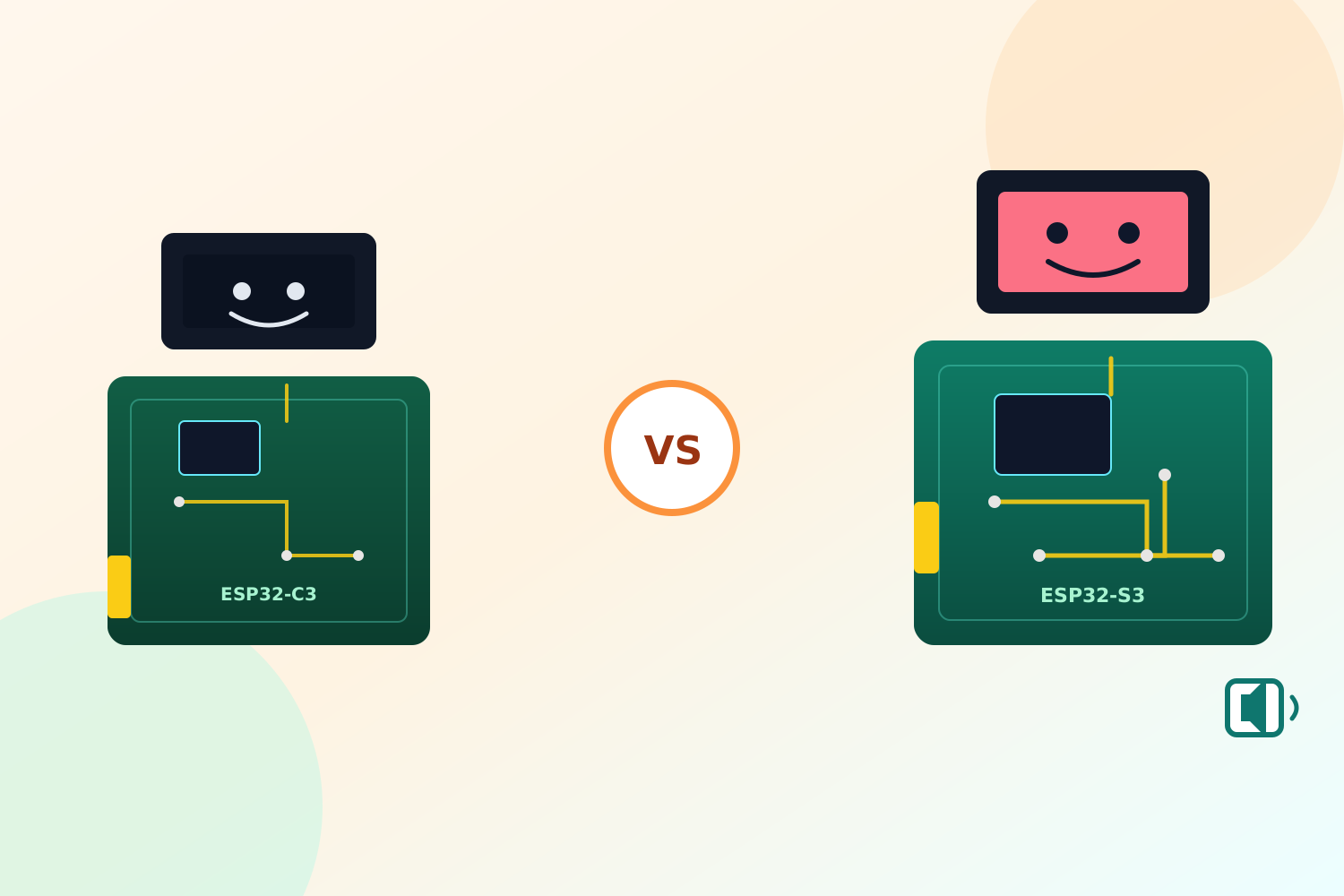
"Which ESP32 should I use" is the wrong first question. The better one is "what does this build actually need to push through the chip at once." A robot that only blinks a monochrome face on an I2C OLED needs almost nothing. A robot that renders a color UI in LVGL, listens through a microphone, and talks back through a speaker needs several fast interfaces running at the same time, plus somewhere to put the frame buffers. ESP32-C3 and ESP32-S3 sit on opposite sides of that line, and picking the wrong one shows up late — usually as a display that stutters or a build that runs out of RAM the moment animation is added.
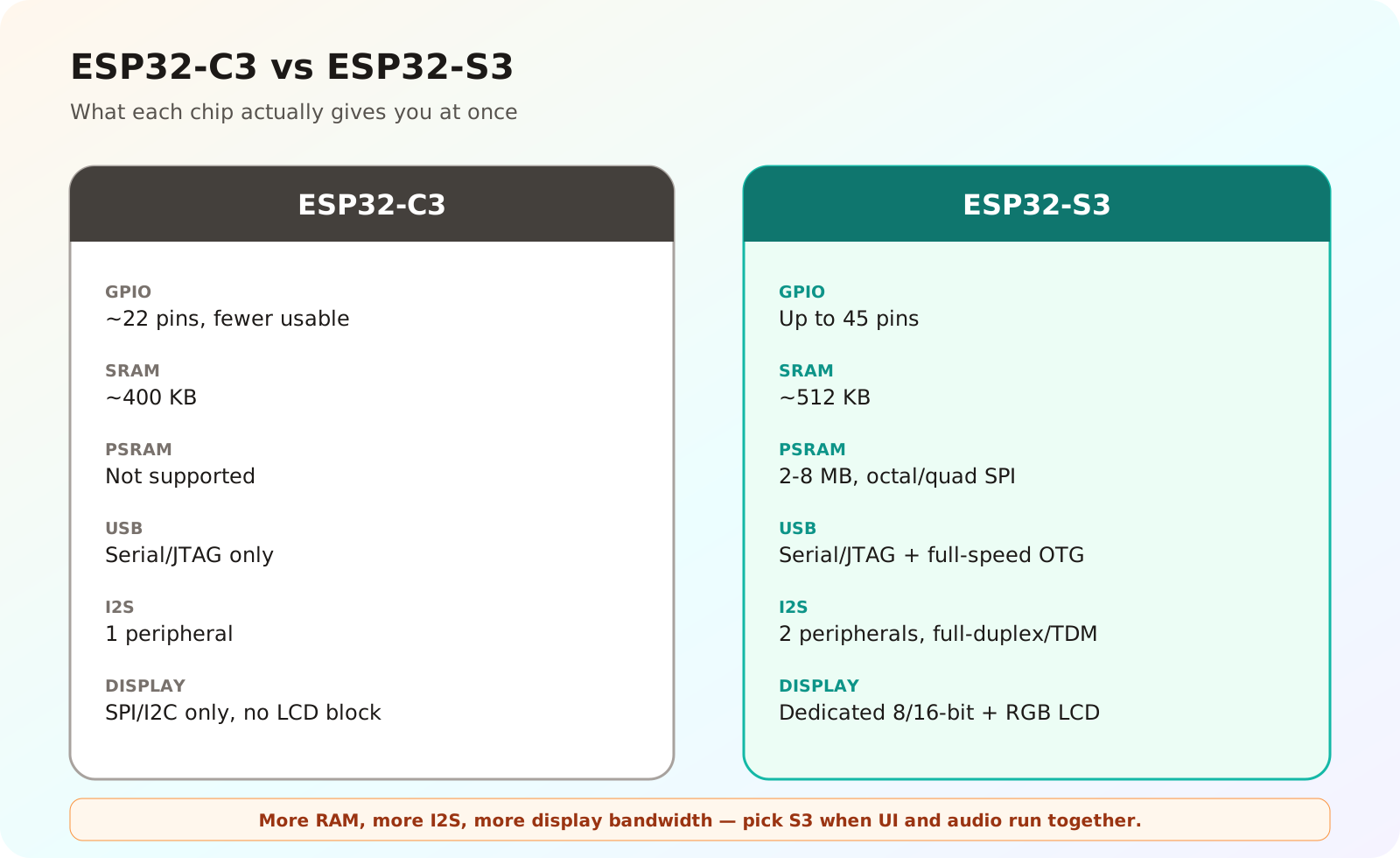
More RAM, more I2S, more display bandwidth — pick S3 when UI and audio run together.
GPIO
ESP32-C3 gives you around 22 GPIO pins on the die, and a small module like a Supermini breaks out noticeably fewer once you account for flash and strapping pins. That is fine for a basic Mochi build: an I2C OLED only needs SDA, SCL, power, and ground.
ESP32-S3 exposes up to 45 GPIO, and a meaningful share stays usable even after reserving pins for octal PSRAM/flash on modules that use it. That headroom matters the moment you add a parallel or high-pin-count display interface, an I2S microphone, an I2S amplifier, and touch on top of the base peripherals — see the GPIO planning notes in the ESP32-S3 Mochi hardware architecture piece for how those reservations stack up in practice.
RAM and PSRAM
This is the split that actually decides the question. ESP32-C3 has roughly 400 KB of SRAM and no PSRAM support at all. That budget is enough for Wi-Fi/BLE stacks, application logic, and a small monochrome frame buffer, but it has no room for a color LVGL UI or GIF playback — decoding an animated GIF with lv_gif alone can need real working memory for the decoder and frame buffer.
ESP32-S3 has around 512 KB of internal SRAM and, critically, supports external PSRAM over octal or quad SPI, commonly 2–8 MB depending on the module. That external RAM is where LVGL's larger buffers and decoded GIF frames actually live. If the plan includes a color screen with smooth animation, this single line item is close to a hard requirement, not a nice-to-have.
USB
ESP32-C3 has a USB Serial/JTAG controller, which covers firmware flashing and a debug console over USB without extra hardware. It does not expose a general-purpose USB OTG peripheral for other USB device classes.
ESP32-S3 has both the USB Serial/JTAG controller and a separate full-speed USB OTG peripheral, so a design can use native USB for something beyond flashing and logs — a USB audio or HID class, for instance — if a later revision needs it. For a first Mochi build, the practical difference is smaller than it sounds; both chips flash and log fine over USB. The gap shows up only if the roadmap includes native USB audio or a USB accessory mode.
I2S and Audio
ESP32-C3 has a single I2S peripheral. It can drive one audio direction reasonably, but running a microphone and a speaker at once puts real pressure on that one peripheral and the pins around it.
ESP32-S3 has two independent I2S peripherals, each capable of standard, PDM, or TDM communication according to the ESP-IDF I2S documentation. In practice that means a microphone on one I2S bus and an amplifier on the other, running full-duplex without fighting over the same peripheral — the setup covered in the two-way I2S audio guide. If Mochi needs to listen and respond, this is the more comfortable chip to build that on.
Display and LVGL
ESP32-C3 has no dedicated LCD peripheral. A small SPI or I2C display works over the general-purpose SPI/I2C controllers, which is exactly right for a 128x64 I2C OLED showing simple expressions, but it is not built for a fast color panel.
ESP32-S3 includes a dedicated LCD interface (8-bit/16-bit parallel and RGB panel support) documented in the ESP-IDF LCD peripheral guide, separating control-plane setup from pixel transfer. Combined with PSRAM for frame buffers, this is what makes a smooth color LVGL UI with GIF-based expressions realistic instead of a constant fight against dropped frames.
Cost and Application Scope
ESP32-C3 is smaller, cheaper, and easier to route on a first PCB. It is a good match for anything that just needs Wi-Fi/BLE, basic logic, and a simple status display — a monochrome-face Mochi, a sensor node, a small IoT controller.
ESP32-S3 costs more, needs a more careful PCB layout (especially with PSRAM and a parallel display bus), and draws more power under load. It earns that cost back the moment the product needs a color UI, real audio in both directions, or headroom for on-device inference — ESP32-S3's added vector instructions give a modest boost to lightweight ML workloads such as wake-word or simple keyword spotting through ESP-DL, which is one reason the chip pairs naturally with an "AI" positioning even without a dedicated NPU.
The Call for Mochi
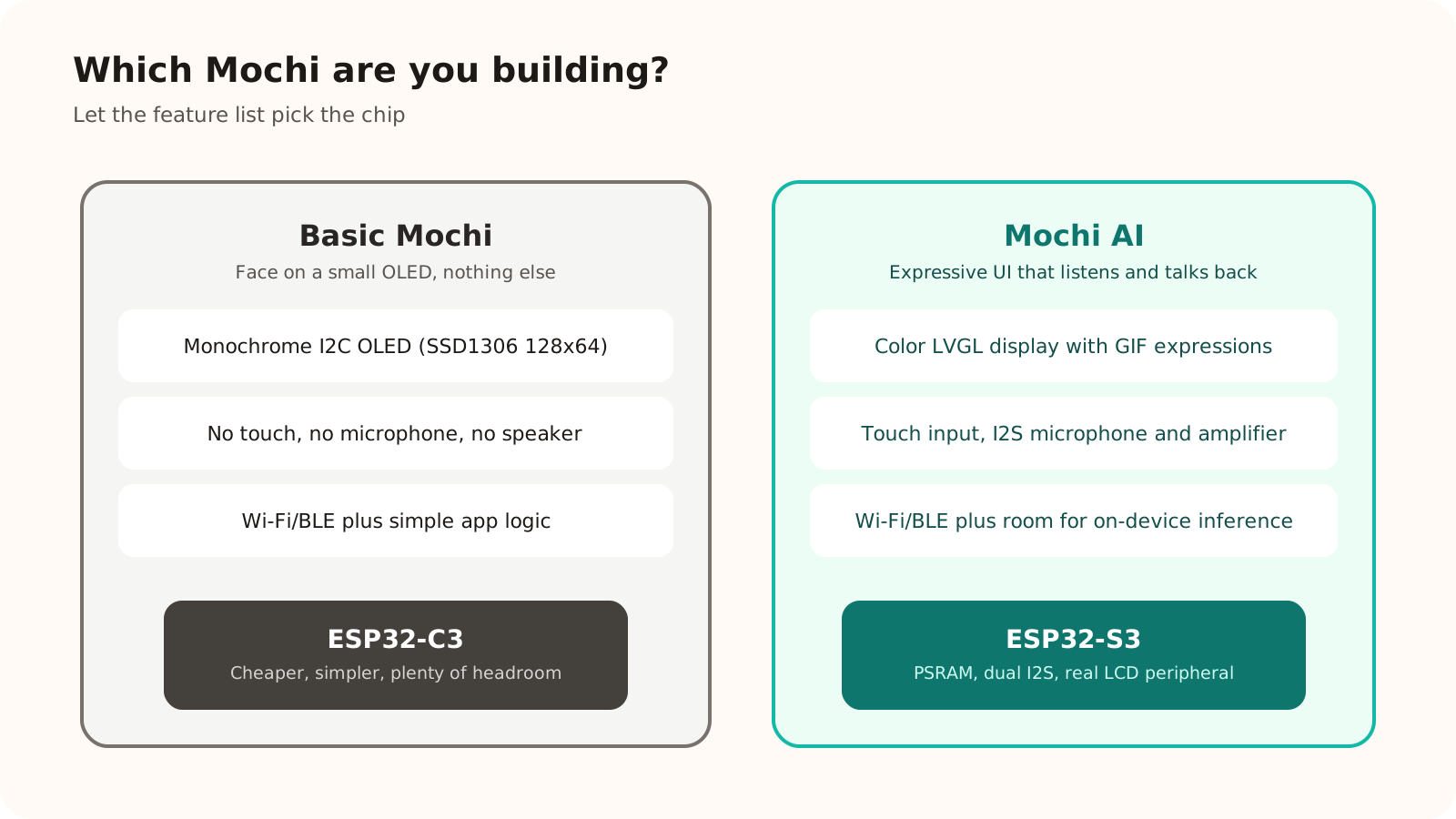
Let the feature list pick the chip, not the other way around.
For basic Mochi — a small OLED face, no touch, no microphone or speaker — ESP32-C3 is the right chip. It is cheaper, simpler to wire, and has more than enough headroom for a monochrome UI and Wi-Fi/BLE connectivity.
For Mochi AI — a color LVGL display with animated expressions, touch input, and two-way I2S audio for listening and talking back — ESP32-S3 is the only sensible choice among the two. The combination of PSRAM, dual I2S, and a real LCD peripheral is not a convenience here; it is what the feature set actually requires.
Conclusion
The chip choice follows the feature list, not the other way around. If a build description only needs a status display and wireless connectivity, ESP32-C3 avoids unnecessary cost and complexity. If it needs a real screen, real audio, and enough RAM to keep both smooth at once, ESP32-S3 is what makes that possible without fighting the hardware the entire way.
References
Share
Keep exploring
Read next
Related articles
What Is a MEMS Microphone? From a Silicon Diaphragm to ESP32 Audio
Learn how MEMS microphones work, how analog, PDM, and I2S outputs differ, and how to avoid PCB, power, and acoustic-port mistakes.
Complete Hardware Architecture for an ESP32-S3 Mochi Robot
A practical breakdown of ESP32-S3 Mochi Robot hardware: display, touch, I2S microphone, amplifier, speaker, battery, charging, and GPIO.
ESP32 Beginner Guide – P1: What Is ESP32 and Choose ESP32
Learn the difference between ESP32 chips, modules, and development boards, then choose an ESP32-C3, ESP32-S3, or classic ESP32 board without buying hardware you do not need.